

How do I troubleshoot an LED clock for the bedroom that is not working?
Sep 25, 2025
As a supplier of LED Clocks for Bedroom, I often receive inquiries from customers about troubleshooting their non - working LED clocks. In this blog, I'll share some common issues and solutions to help you get your bedroom LED clock up and running again.
Power - related Problems
One of the most common reasons an LED clock might not work is a power issue.
Check the Power Source
First, make sure the clock is properly connected to a power source. If it's a battery - operated LED clock, check the batteries. Sometimes, the batteries might be dead or inserted incorrectly. Remove the batteries and check their expiration dates. If they are old, replace them with new ones of the same type and voltage. For example, if the clock requires AA batteries, ensure you're using fresh AA batteries.
If your LED Clock for Bedroom is plugged into an electrical outlet, check if the outlet is working. You can plug another device, like a lamp, into the same outlet to verify. If the outlet is faulty, try plugging the clock into a different outlet.
Power Cord and Adapter
Inspect the power cord for any visible damage, such as cuts or frayed wires. A damaged cord can prevent the clock from receiving power. If you find any damage, replace the power cord with a compatible one.
For clocks that use an AC adapter, check the adapter itself. Ensure it is the correct voltage and wattage for the clock. Sometimes, the adapter might overheat or malfunction. You can try using a different adapter that meets the clock's specifications to see if that solves the problem.
Display and Functionality Issues
Even if the clock is getting power, it might not display correctly or perform its functions.

Display Not Lighting Up
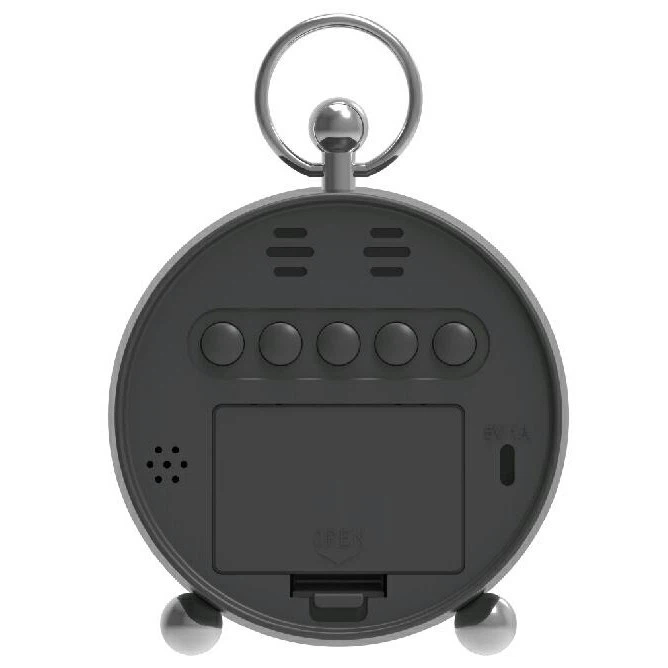
If the LED display is not lighting up at all, it could be due to a problem with the display module. First, try resetting the clock. Look for a reset button on the back or bottom of the clock. Press and hold it for a few seconds to see if the display comes back on.
If resetting doesn't work, there might be an issue with the internal wiring or the display itself. In some cases, the LED lights on the display might have burned out. This is more common in older clocks or those that have been used for a long time. Unfortunately, if the display module is damaged, it might be difficult to repair it yourself. You may need to contact the manufacturer or a professional technician for further assistance.
Incorrect Time Display
If the clock is showing the wrong time, it could be due to a simple setting issue. Check if the clock has a time - setting function. Most LED clocks for the bedroom have buttons or a control panel to adjust the time. Refer to the user manual to find out how to set the correct time.
Some clocks also have the option to set the time automatically using radio signals or Wi - Fi. If your clock supports this feature, make sure it is properly configured. Check if the clock is in the correct time zone and if it has a clear signal to receive the time updates.
Alarm Not Working
For LED Alarm Clocks, an alarm that doesn't work can be a major inconvenience. First, check if the alarm is set correctly. Make sure you have set the correct time for the alarm and that the alarm function is turned on.
Inspect the volume settings of the alarm. It's possible that the volume is set too low or muted. Adjust the volume to a suitable level and test the alarm again.
If the alarm still doesn't work, there might be an issue with the internal speaker or the alarm circuit. Similar to display problems, this might require professional repair.
Environmental and Interference Issues
The environment where the clock is placed can also affect its performance.
Temperature and Humidity
Extreme temperatures and high humidity can cause problems for LED clocks. If the clock is placed in a very hot or cold room, it might malfunction. Try moving the clock to a more moderate environment. Avoid placing it near heat sources like radiators or in areas with high humidity, such as bathrooms.
Electrical Interference
Electrical interference from other devices can disrupt the operation of the clock. Keep the clock away from large electrical appliances like televisions, microwaves, and refrigerators. These devices can emit electromagnetic fields that interfere with the clock's internal electronics.
Other Possible Issues
Sometimes, the problem might be related to software glitches or bugs, especially in clocks with advanced features.
Software Updates
Some modern LED clocks can receive software updates to improve performance and fix bugs. Check the manufacturer's website to see if there are any available updates for your clock model. Follow the instructions provided to update the clock's software.
Factory Reset
If all else fails, you can try performing a factory reset. This will restore the clock to its original settings. However, keep in mind that a factory reset will erase all your custom settings, such as alarm times and display preferences. Refer to the user manual for instructions on how to perform a factory reset.
In conclusion, troubleshooting an LED clock for the bedroom involves a systematic approach. Start by checking the power source, then move on to display and functionality issues, and consider environmental factors. If you're still unable to solve the problem, don't hesitate to reach out for help.
As a supplier of high - quality LED Clocks for Bedroom, we are committed to providing our customers with the best products and support. If you're interested in purchasing our products or have any questions about our BIG LED Digital Clock, feel free to contact us for procurement and negotiation. We look forward to working with you!
References
- General knowledge on electronics and LED clock technology
- User manuals of various LED clock models