

How to turn off the alarm on an LED alarm clock?
Oct 02, 2025
As a supplier of LED alarm clocks, I've received numerous inquiries from customers about how to turn off the alarm on an LED alarm clock. In this blog post, I'll provide a comprehensive guide on this topic, covering different types of LED alarm clocks and their respective methods for silencing the alarm.
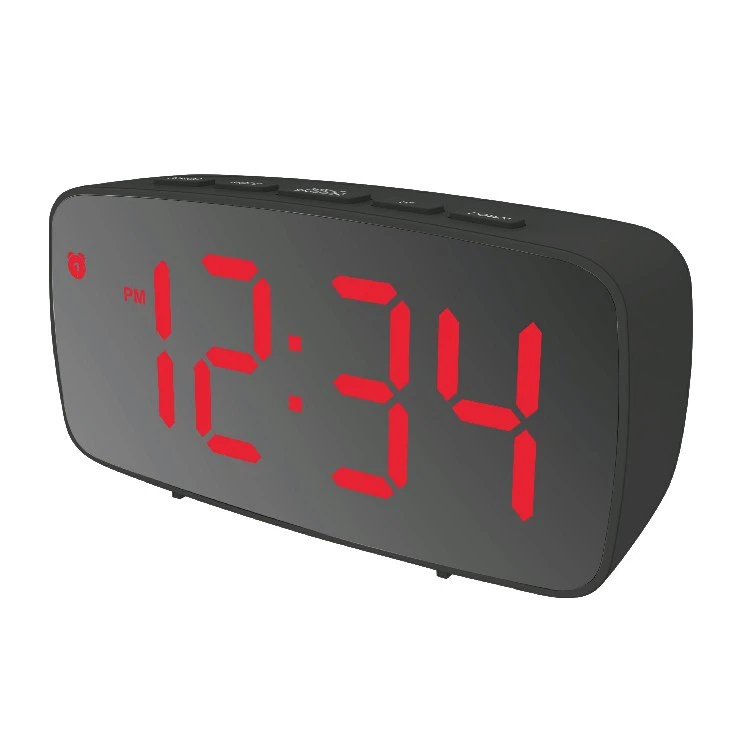

Understanding the Basics of LED Alarm Clocks
LED alarm clocks are popular for their bright display and energy - efficient features. They come in various shapes, sizes, and functionalities. Whether you're using a LED Alarm Clock for your bedside or a BIG LED Digital Clock in a large room, the basic principle of setting and turning off the alarm remains somewhat similar, but there are differences based on the model.
General Steps for Turning Off the Alarm
Step 1: Locate the Alarm Button
Most LED alarm clocks have a dedicated button for the alarm function. This button is often labeled with an "Alarm" icon, which can be a small bell or a clock with an exclamation mark. On some models, this button might be part of a multi - function button group, and you may need to press it multiple times to access the alarm - related functions.
Step 2: Identify the Snooze and Off Options
Once you've located the alarm button, you'll need to distinguish between the snooze and off functions. The snooze function is designed to temporarily silence the alarm for a set period, usually 5 to 10 minutes. The off function, on the other hand, completely stops the alarm until the next scheduled time.
The snooze button is typically marked with a "Z" or a small bed icon, indicating a short rest. Pressing this button will pause the alarm sound and give you a few extra minutes of sleep. If you want to turn off the alarm permanently for that setting, look for the "Off" button or a similar label.
Step 3: Press the Appropriate Button
When the alarm goes off, quickly press either the snooze or off button according to your needs. Make sure to press the button firmly, as some LED alarm clocks may require a certain amount of pressure to register the input.
Different Types of LED Alarm Clocks and Their Alarm - Turning - Off Methods
Basic LED Alarm Clocks
These are the most common type of LED alarm clocks, often used as Good Sale Bedside Clock. They usually have simple button layouts. To turn off the alarm, you simply press the "Alarm" button once to stop the sound. If you want to snooze, there's a separate "Snooze" button that you can press.
For example, on a basic bedside LED alarm clock, when the alarm rings, you can reach out and press the large "Snooze" button on the top. This will give you an extra 9 minutes of sleep. If you want to turn off the alarm completely, press the "Alarm" button located on the side of the clock.
Advanced LED Alarm Clocks with Multiple Settings
Some advanced LED alarm clocks allow you to set multiple alarms for different days of the week or different times of the day. These clocks may have a more complex button interface.
To turn off an alarm on such a clock, you may need to first enter the alarm - setting mode. This is usually done by pressing and holding the "Alarm" button for a few seconds until the display starts blinking, indicating that you're in the alarm - setting mode. Then, use the up and down arrows or other navigation buttons to select the specific alarm you want to turn off. Once you've selected the alarm, press the "Off" button to disable it.
LED Alarm Clocks with Smartphone Connectivity
With the advancement of technology, many LED alarm clocks now come with smartphone connectivity. These clocks can be controlled via a dedicated mobile app.
To turn off the alarm on an LED alarm clock with smartphone connectivity, open the app on your phone. Navigate to the alarm settings section, where you'll see a list of all the alarms you've set. Tap on the alarm you want to turn off, and then select the "Off" option within the app. This method is very convenient, especially if you're not near the clock when the alarm goes off.
Troubleshooting Common Issues
The Alarm Won't Turn Off
If you're having trouble turning off the alarm, first check if the buttons are working properly. Sometimes, dirt or debris can get stuck under the buttons, preventing them from functioning correctly. You can try gently cleaning the buttons with a soft, dry cloth.
If the problem persists, it could be a software issue. Try resetting the clock to its factory settings. Refer to the user manual for instructions on how to perform a reset. This will usually involve pressing a combination of buttons, such as holding down the "Set" and "Alarm" buttons simultaneously for a few seconds.
The Snooze Function Isn't Working
If the snooze function isn't working, make sure that it's properly set in the clock's settings. Some clocks allow you to adjust the snooze duration, and if it's set to zero, the snooze function won't work. Check the user manual to see how to set the snooze duration correctly.
Conclusion
Turning off the alarm on an LED alarm clock can be a simple process once you understand the basic functions and the specific features of your clock. Whether you're using a basic bedside clock or an advanced model with smartphone connectivity, following the steps outlined in this guide should help you silence the alarm quickly and efficiently.
If you're interested in purchasing high - quality LED alarm clocks for your home, office, or retail business, we're here to assist you. Our company offers a wide range of LED alarm clocks with different features and designs to meet your diverse needs. Contact us for more information and to start a procurement discussion.
References
- General knowledge of LED alarm clock operation and troubleshooting from years of experience as an LED alarm clock supplier.
- User manuals of various LED alarm clock models for specific button functions and reset procedures.